

October was a busy month for the Legl product team, with an update going out nearly every working day.
The biggest news is Governance, which enables you to operationalise your policies in Legl.
Governance turns your firm's risk policy into rules and procedures that apply across people and processes, with clear audit trails. Your policies apply automatically without anyone having to remember, every action is recorded so you can show how each decision was reached and the final judgement calls stay with your team.
Here’s what each update means for your firm.
Governance
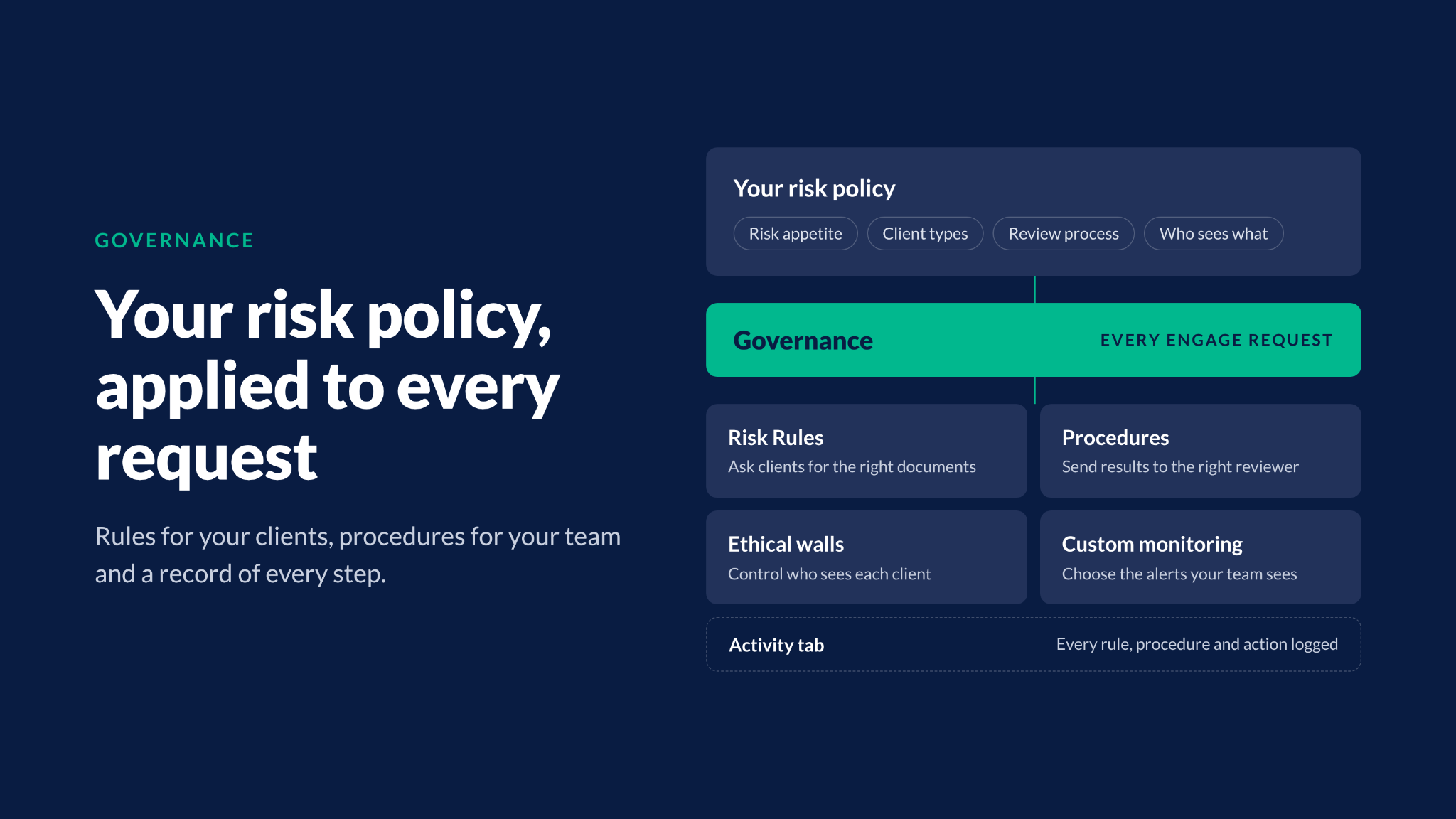
Most firms have a written risk policy, but the harder part is knowing it is followed on every file. Governance closes that gap by putting the rules in your policy to work inside Legl, so clients provide the right documents the first time and the right people review the results.
Risk Rules
Risk Rules implements your risk policy when clients complete their onboarding. If a client uploads an expired ID or the wrong type of document, Risk Rules asks them to fix it right away and explains why. Your team receives the documents your policy requires on the first attempt and spends less time chasing clients.
There are two kinds of Risk Rules: Universal and Custom. Universal Risk Rules are a standard set that every firm has access to. Custom Risk Rules are built with you from your own risk policy to cover the checks specific to your firm.
Procedures
Procedures decide what happens inside your firm once a request is ready for review.
Route each request to the right reviewer, escalate the findings that need a second look and notify the people who need to know, with the reason recorded on the request.
Like Risk Rules, there are Universal Procedures and Custom Procedures. Universal Procedures are a standard set that every firm has, which you switch on and edit in Governance. Custom Procedures are built with you around your firm's own review process.
Every Risk Rule and Procedure that runs is logged in the request's Activity tab, giving you one audit trail for every decision your team makes.
Ethical walls
Ethical walls control who can see each client's Engage requests. Keep a client visible firm-wide, or restrict it to the departments and named people working on it.
Admins have full visibility, and every change is recorded in the client's history, so you can see who had access.
Learn more about Ethical walls
Custom monitoring
Custom monitoring puts you in control of the alerts your team sees.
Choose which risk types create screening results and ongoing monitoring alerts, adjust match sensitivity and decide who each alert is assigned to. Before you save a change, the analyser shows how it would affect the contacts already in Legl, so you see the effect before it goes live.
Learn more about custom monitoring
Governance is the biggest change this month, and the rest of the platform moved forward with it. Here are the other updates your team can use today.
Risk assessments
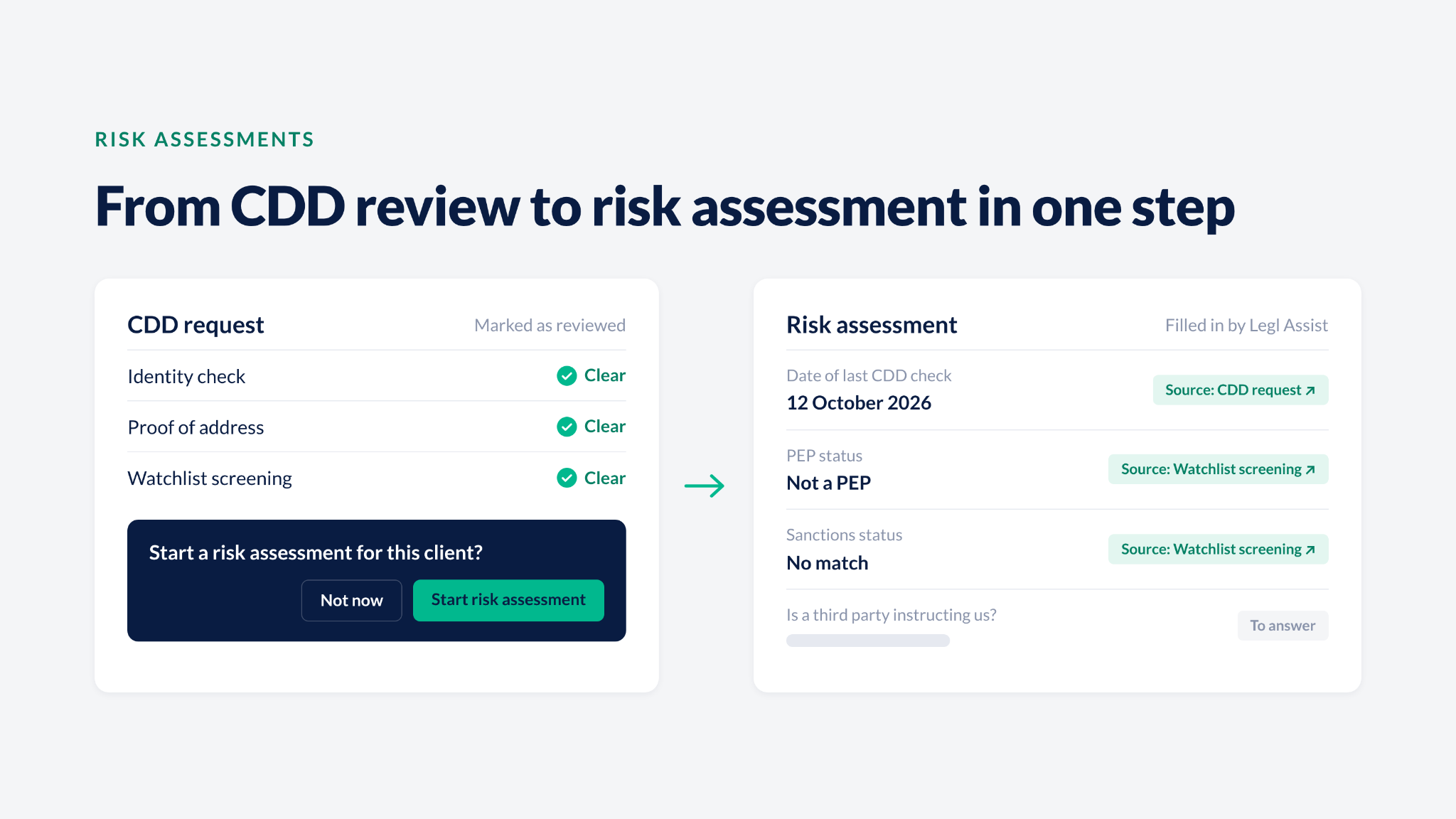
Start a risk assessment straight after CDD
Mark a CDD request as reviewed and the review page now offers to start a new risk assessment or continue the one in progress. Your fee earners move straight from CDD to the risk assessment without having to remember a separate step.
More answers filled in for you, with sources
Legl Assist now fills in more risk assessment answers from checks you've already run in Legl. Each answer links to its source record, so your team spends less time retyping data and can check every answer before signing off.
Choose who can start a risk assessment
Firm admins now decide which users can start a risk assessment, so only the people you choose can open one.
See every option in the PDF
The risk assessment PDF now shows every option a multiple-choice question offered, ticked or unticked, so reviewers and auditors see both what was chosen and what was ruled out.
Engage reviews
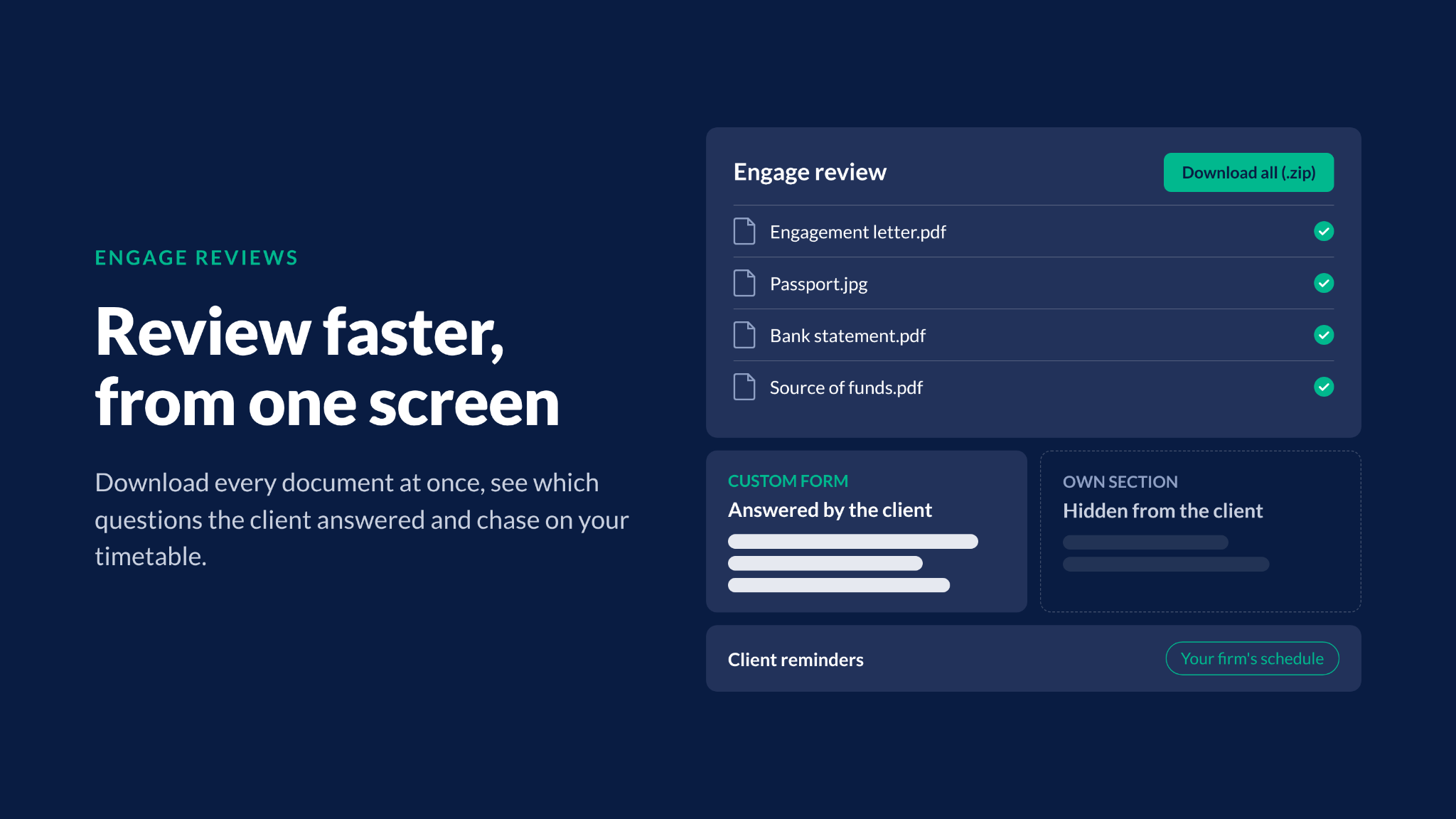
Download every document at once
Click Download all on the review page to save every document in an Engage review as one zip file, instead of downloading them one at a time.
See which questions the client answered
Custom form questions the client never saw now sit in their own section on the review page and in the PDF, so you can tell at a glance which answers came from the client.
Set your own reminder schedule
Set your own reminder schedule for Engage requests, and Engage chases your clients on your firm's timetable.
Company and trust checks
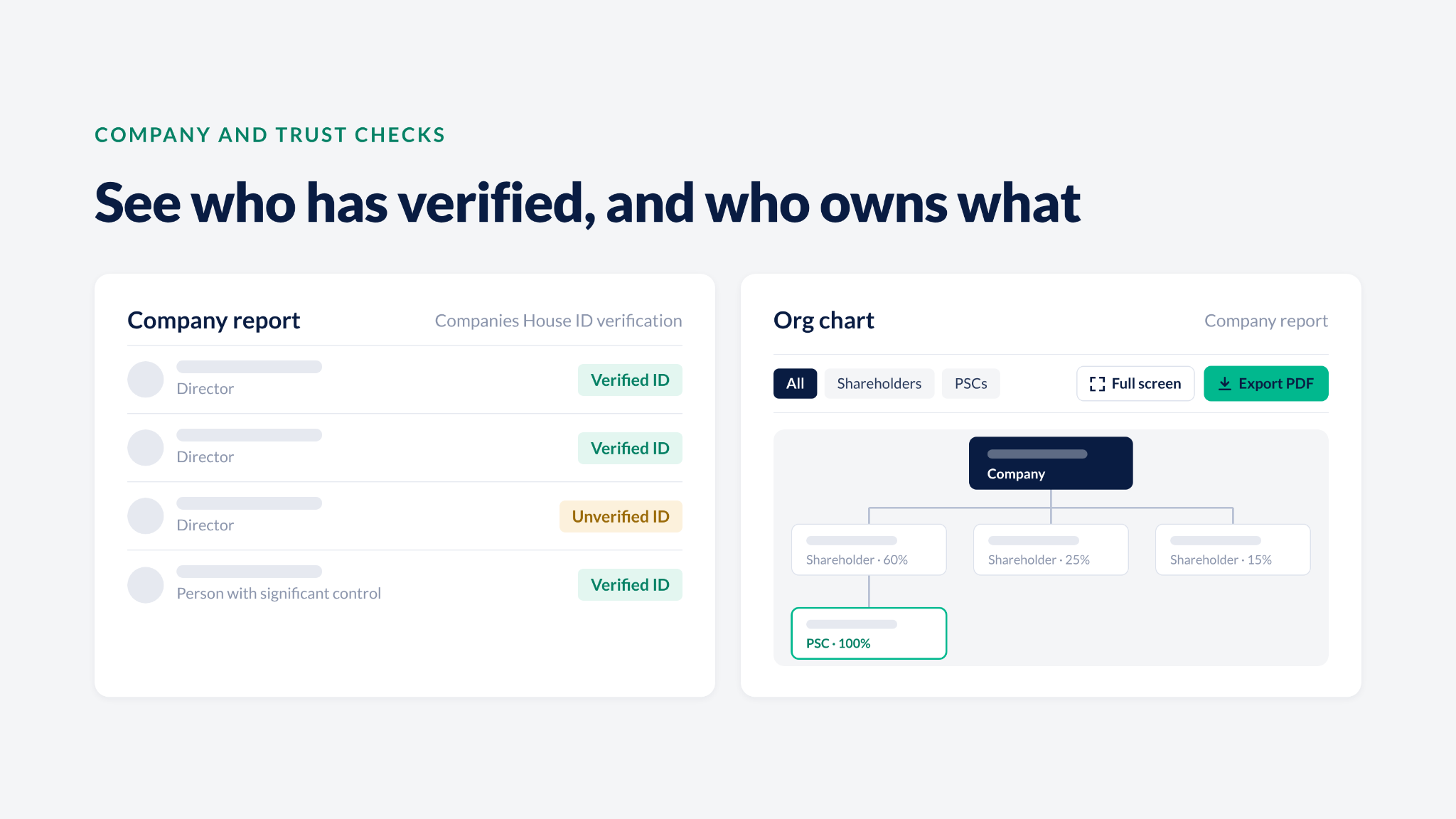
Companies House ID verification on company reports
Company reports for UK companies now show whether each director and person with significant control has verified their identity with Companies House. Spot who is unverified before you decide what further due diligence you need.
A clearer org chart on company reports
The org chart on company reports has a new design that’s easier to find your way around, with the toolbar now above the chart.
The chart resizes to fit whatever you filter to, expand it to full screen to follow a complex ownership structure, or export it to PDF to save to the client file, so your team no longer needs to take screenshots.
Trust deed history
Every trust now keeps a deed history that lists each deed uploaded and who uploaded and reviewed it, giving you an audit trail of how the trust's deeds changed over time.
Replace a trust deed
If the wrong deed was uploaded, replace it with the right one and Legl analyses the new deed, so you don't have to restart the check.
Pay
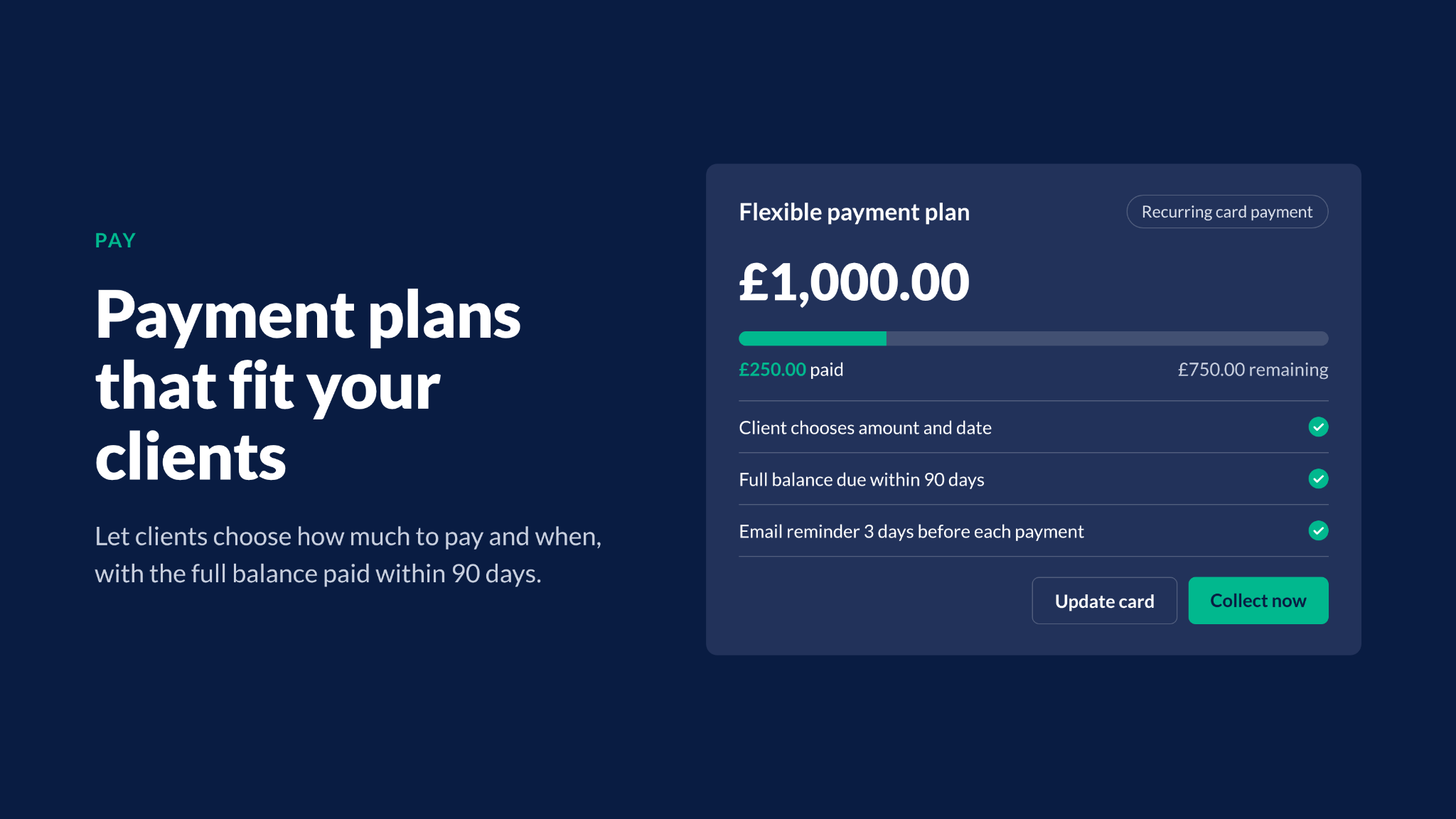
Flexible payment plans
Offer your clients payment plans that fit how they want to pay. Set any instalment frequency and amount, turn a Pay Request into a plan, or let the client choose how much to pay and when, as long as the full balance is paid within 90 days.
Clients get an email reminder 3 days before each payment, and plans run as recurring card payments rather than direct debits. Your finance team sees every plan under Pay and can click Collect now when a client wants to pay the rest early.
Easily stay up to date
Get every Legl product update in one weekly email. Open Product Updates in the bottom left of the platform and turn on the toggle at the top right of the page.
To set up any of these updates for your firm, email support@legl.com or speak to your Customer Success Manager.
See October’s updates in action
October's releases give your firm more control over how your risk policy is applied with less manual work for your team around every request. To set up any of these updates for your firm, email support@legl.com or speak to your Customer Success Manager. If you're not yet a Legl customer, book a demo to see how these updates and more work for your firm.