


Your firm’s risk policy is your own. The SRA expects a risk-based approach, so where you draw your lines depends on the work you do and the risks that come with it.
Day to day, applying your policy depends on what each person remembers. Most fee earners don’t know exactly which documents the policy needs from each client, and when practice drifts from the policy, your MLRO is the one who answers for it.
As covered in our governance layer post, applying your policy from memory is hard to rely on, which is why your firm needs a tailored approach. Governance in Legll takes your unique risk policy and applies it to how your firm onboards and reviews clients, so your policy applies the same way to every client and you have a record that it did.
Here is how Governance works inside of Legl.
Your risk policy, in one place
Governance brings together the parts of Legl that apply your risk policy. Today that means Risk Rules, which ask each client for what your policy needs; Procedures, which send each request to the right reviewer; Ethical walls, which control who can see each client and Custom monitoring, which sets what you screen against.
Your people still make every judgement call. Governance gathers information, checks what it can and records what happened, but your firm always makes the final decisions.
Risk Rules: every client gives you what your policy needs
Get what your policy needs from every client the first time, without your team chasing it with Risk Rules.
Say a client sends their ID and it turns out they’re from a high-risk country and your policy says that means enhanced due diligence. Usually your team only finds out once the result arrives, meaning someone from your team has to work out what the policy needs and go back to the client for it.
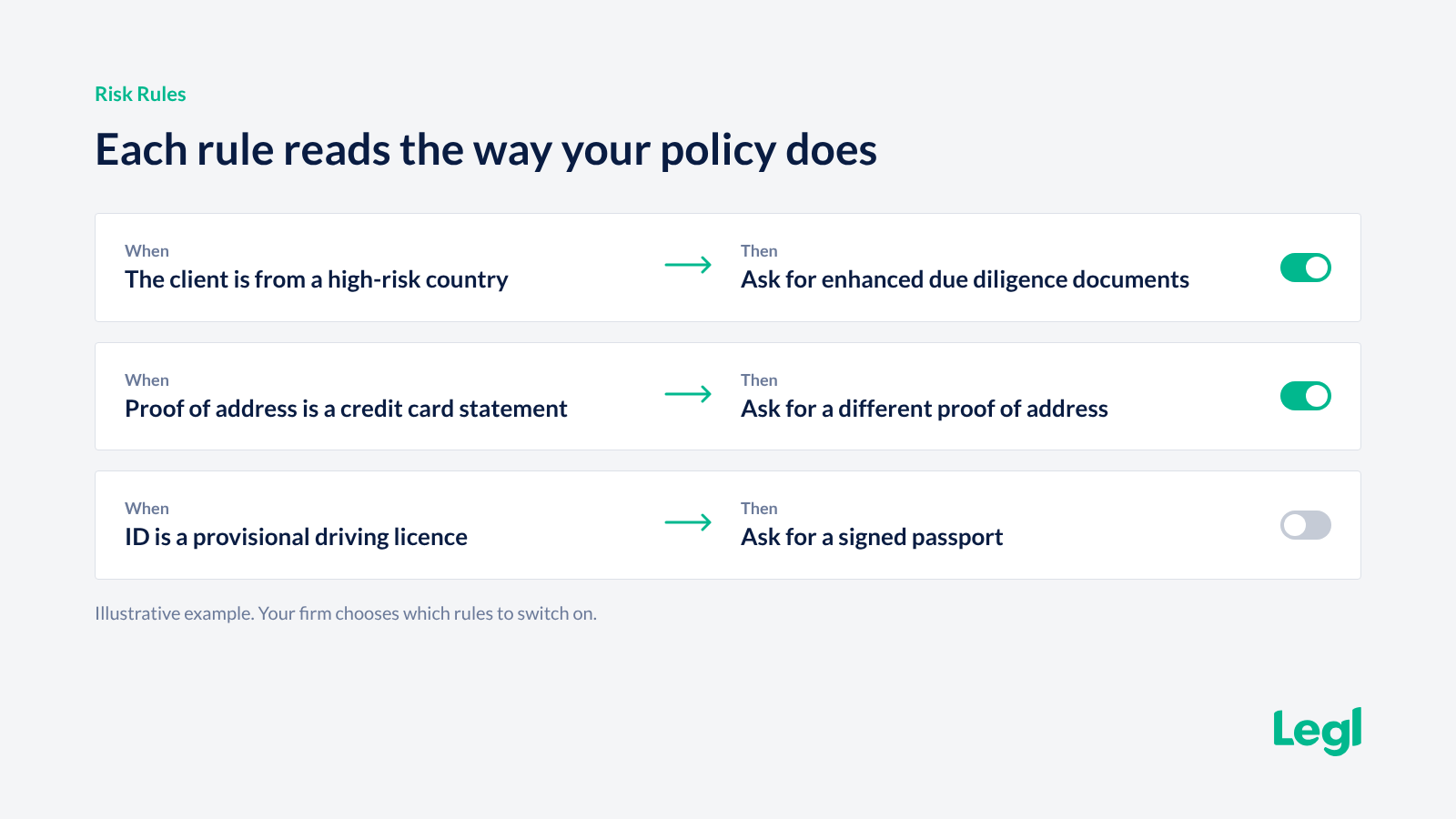
The same thing happens when a client sends a credit card statement as proof of address, or a provisional driving licence where your policy asks for a signed passport. A request that should take minutes can turn into four days of back and forth.
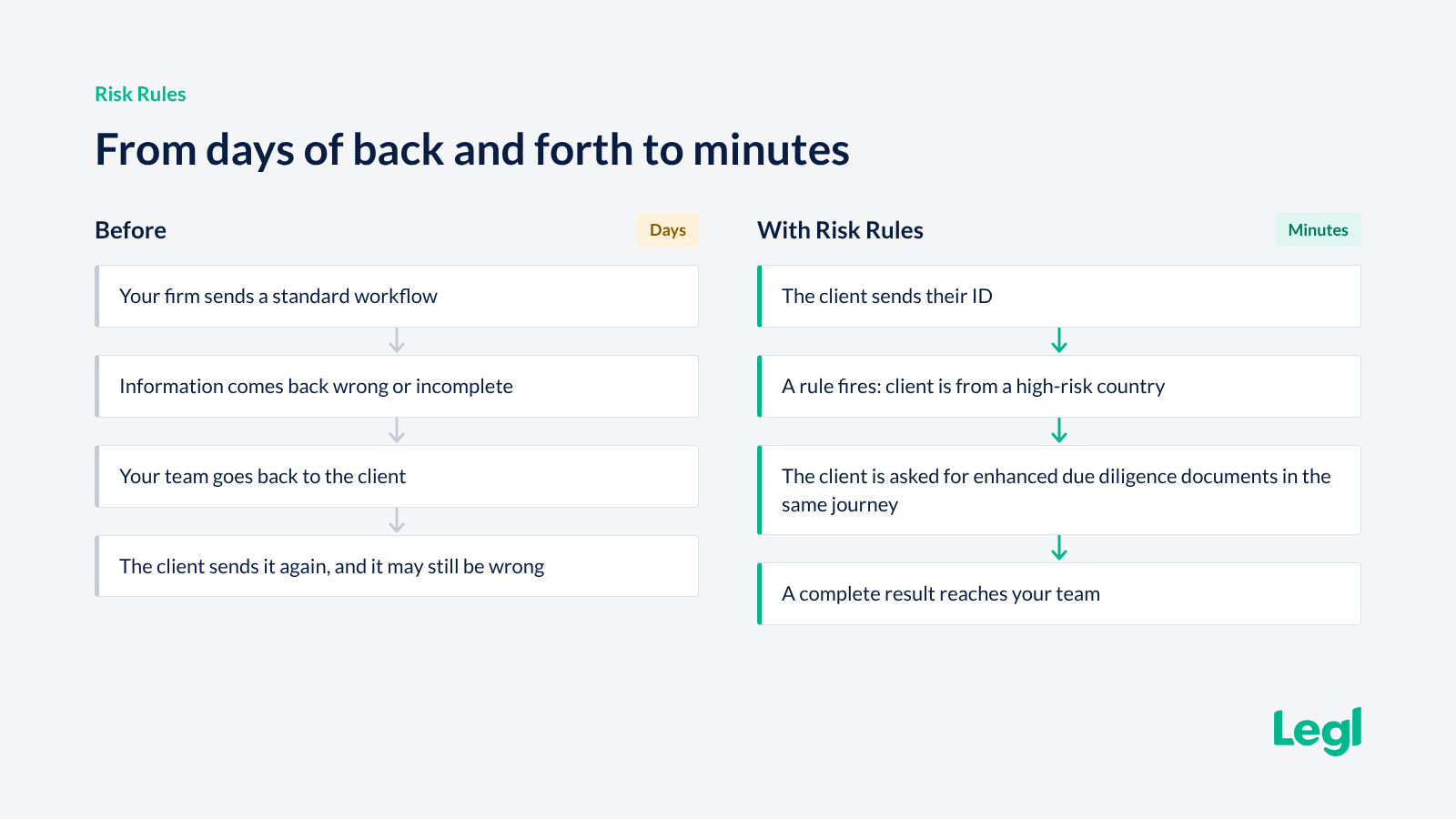
Risk Rules let you set rules that match your policy, so each client provides what you need for their client type.
When a client’s information doesn’t meet a rule, the client is asked for the right document inside their own onboarding journey, with a short message in your words. Your team steps in only if the client can’t resolve it.
Your team spends less time chasing missing documents and missing information, and clients onboard faster. Every client is held to the same standard, whoever reviews the file and whichever office they work in. A person still decides wherever a decision is needed, and a seven-day overview shows which rules fired and what happened next.
To set up Risk Rules, you can upload your risk policy or do a setup call with the Legl team. You then choose which rules to switch on. Once they’re live, they run for every client, no matter who at your firm sends the request.
Procedures: the right result reaches the right person
Every escalation reaches the person your policy names, without anyone having to remember.
Your policy says who should review what. Once a file is submitted, escalation tends to rely on memory, and your MLRO can’t always tell whether the right person saw the right case.
Procedures send an internal request to the reviewer you name once it’s ready for review. You choose the scenarios, such as a PEP, sanctions or adverse media match, and the reviewer gets an email saying why. You can mark the findings your policy treats as serious so they stand out on the review screen, and add your own guidance next to them.
Notifications email the people you choose when certain scenarios come up, such as source of funds involving cryptocurrency. The reason is recorded on the request every time.
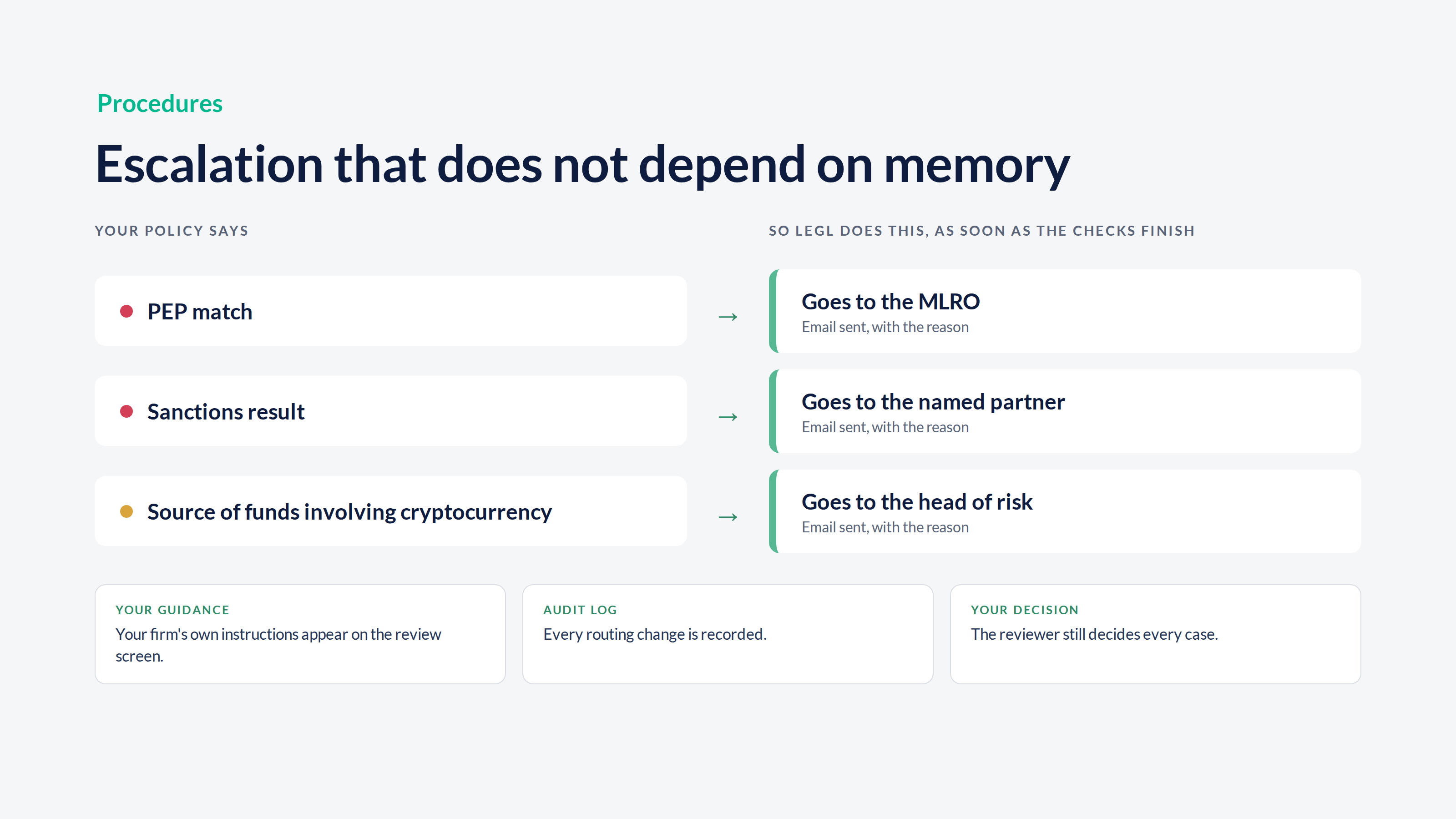
Procedures follow the way your firm splits review work, whether one person reviews everything or different teams handle different risks. When your policy says “escalate to the MLRO”, the request goes to the MLRO, and your reviewers see your guidance at the moment they decide.
Ethical walls: Be more precise about who can see each client
Some clients need a smaller circle of people who can see their information, such as a high-profile name or a check on a member of your own staff.
Ethical walls let you choose who can see each client’s onboarding documents.
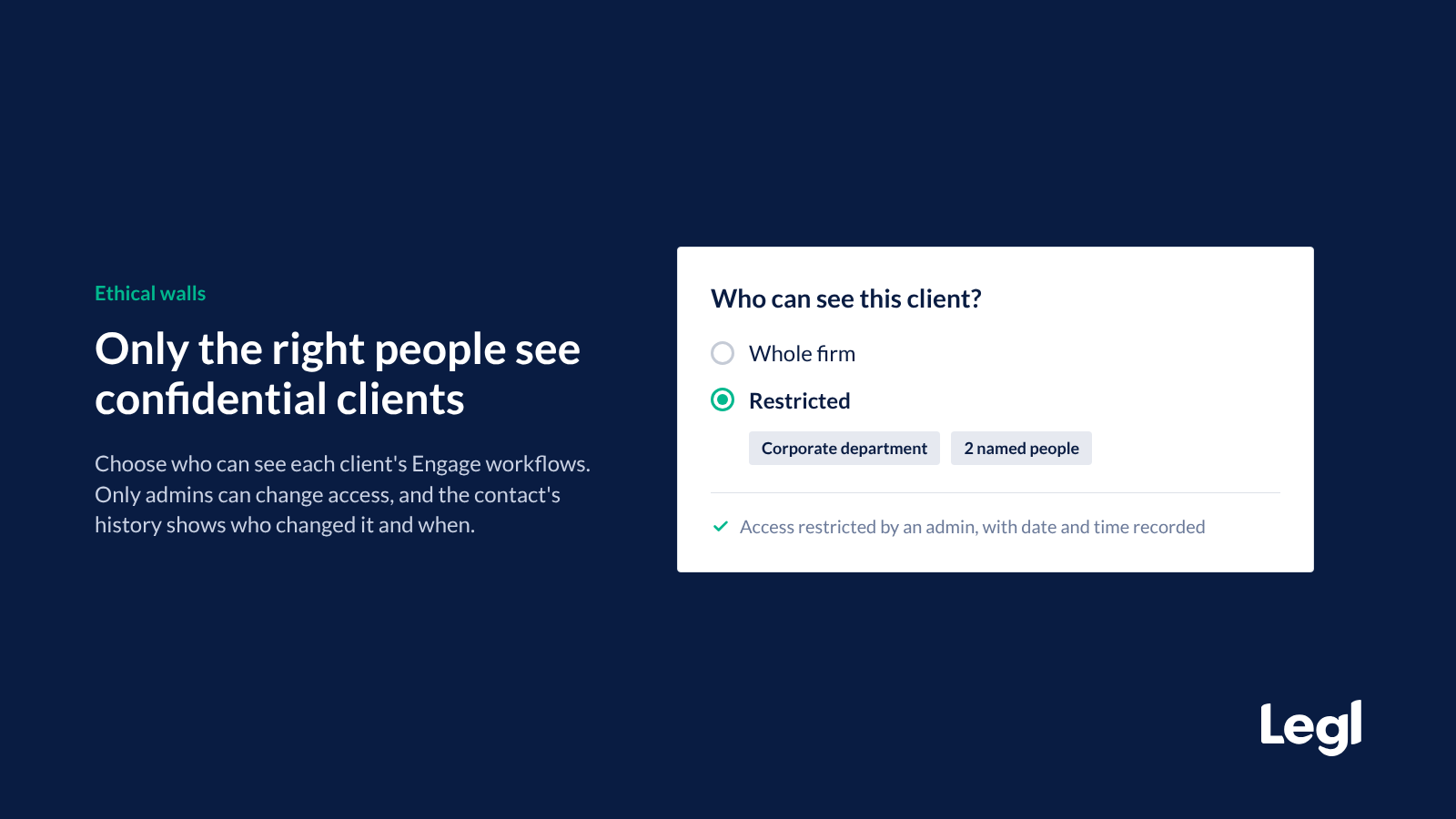
When you create a contact, you choose whether their workflows are open to the whole firm or restricted to named people, departments or both. After that, only admins can change it, and the contact’s history shows who changed access and when.
Custom monitoring: see the alerts your policy cares about
Your screening settings are part of your risk policy: sanctions lists, PEP levels, adverse media types and how closely names must match. Custom monitoring lets you set which sources and types of data you screen against. Before you save a change, you can see what it would send your team.
The same settings apply when you first screen a client during onboarding and throughout Ongoing Monitoring, for individuals, businesses and company changes.
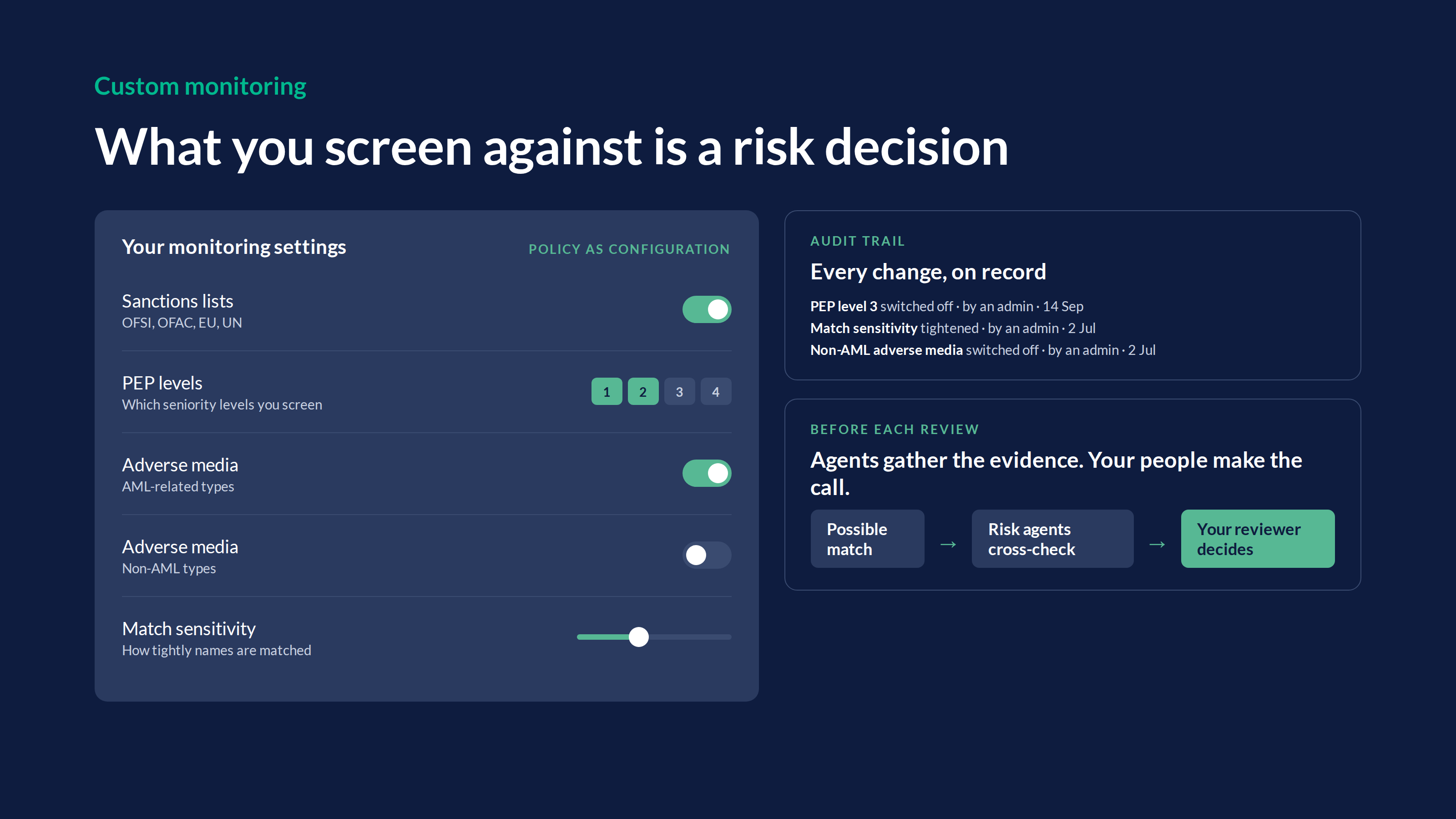
Risk agents check possible matches against Google, so the evidence is ready when your reviewer opens the alert. The review page can confirm parts of a check, for example that a client is not a PEP or has no adverse media, and it sets out what it found.
Your team confirms or overrides every alert, and a history of every change to your settings shows what changed, when and who changed it.
Governance for your firm
Each part of Governance covers a part of your risk policy that used to depend on memory, such as what you ask each client for or who reviews the result. With Governance, your firm now applies each one the same way for every client and keeps a record of it.
Governance cuts the time your team spends chasing and checking, so you can take on more clients across more offices without adding headcount. When a regulator or auditor asks how your policy works in practice, your MLRO has the answer in one place.
To get started, use the “Get set up” buttons on the Governance page or book a demo with the Legl team today.